Plume Home update and WiFi Extender Placement
We’re always looking for new ways to make your home WiFi experience even better. That’s why we’ve given the Plume Home app a fresh new look and introduced our brand-new WiFi Extender Placement tool, designed to help you get the best possible coverage around your home.
We’ll walk you through both updates below. If you haven’t downloaded the Plume Home app yet, now’s the perfect time. You’ll unlock powerful tools, insights and controls, all conveniently at your fingertips.
How to get Plume Home
To access all these features, start by downloading the new Plume Home app from the Google Play Store or Apple App Store. A WightFibre internet connection and WightFibre Hub are required for it to work. Once installed, you can easily manage your network and enjoy a smarter, more secure online experience.


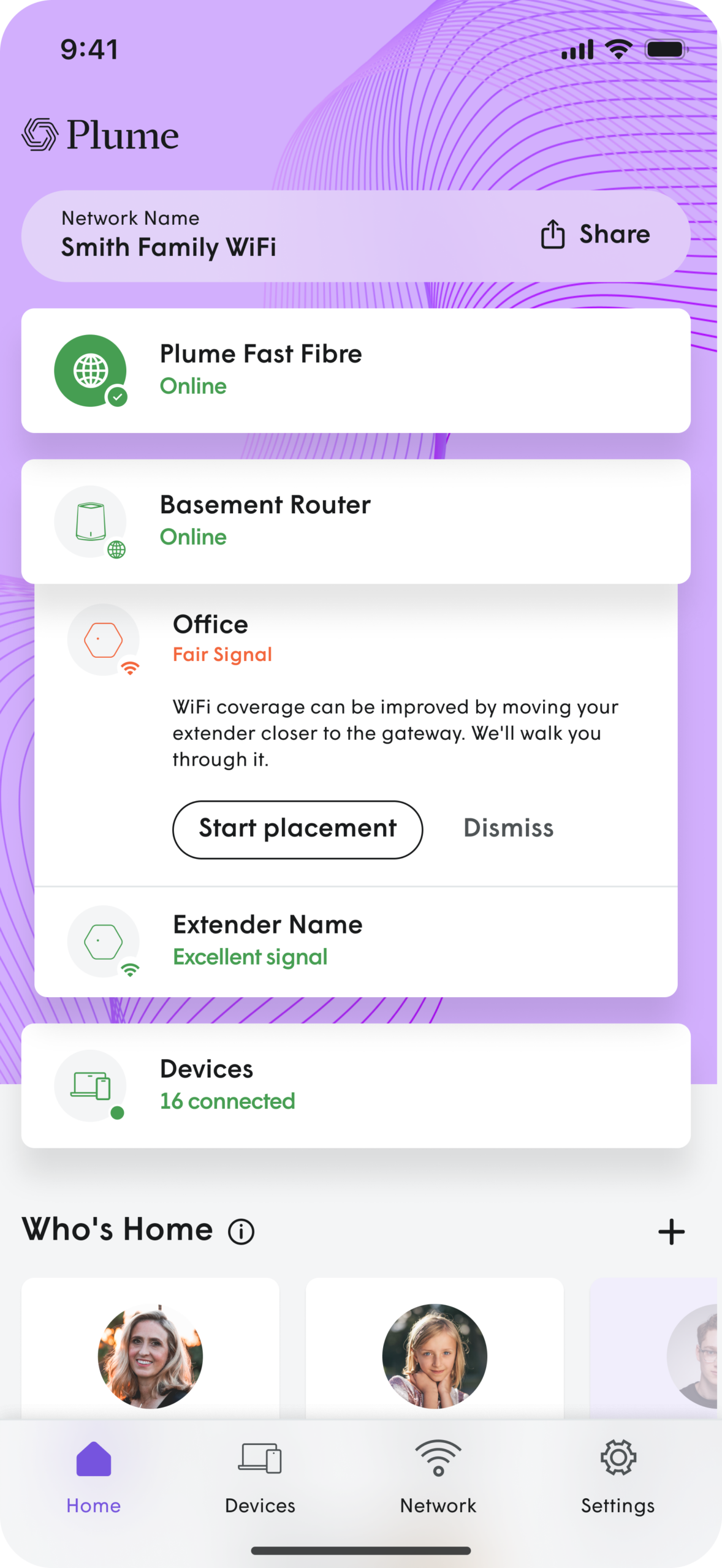
The Plume Home app new look!
Network status at a glance
Connection health is visible immediately on the home screen. No digging required.
See who’s connected
“Who’s Home” gives you instant visibility into connected devices.
Easier device management
Profiles, Focus, Timeout and Boost, all in one place.
Plume Home is the only app you need
- Set up profiles to manage access and security for people and groups
- See who’s home and manage connected devices
- Prioritise bandwidth for specific apps, devices or people
- Home — Your network status, who’s home and recent activity at a glance
- Devices — Every device on your network organised by person or group
- View security events, alerts and network activity
- Check your network status and connection health
NEW: Find the perfect spot for your WiFi Extender.
Why placement matters
Moving your extender just a little can make a big difference to the coverage in busy rooms, home offices and entertainment spaces. The new Plume Home app helps remove the guesswork by guiding you towards a better location between your router and the area that needs stronger WiFi.
What you get
✓ Personalised to your home: Guidance designed around your layout and where coverage is needed.
✓ Clear and easy to follow: Simple prompts help you check whether the extender is in a good position.
✓ Peace of mind: Re-check placement whenever your home layout changes or you notice weaker coverage.
How to get stronger WiFi in three simple steps
Use the new Plume Home app to check, place and improve your WiFi Extender coverage.
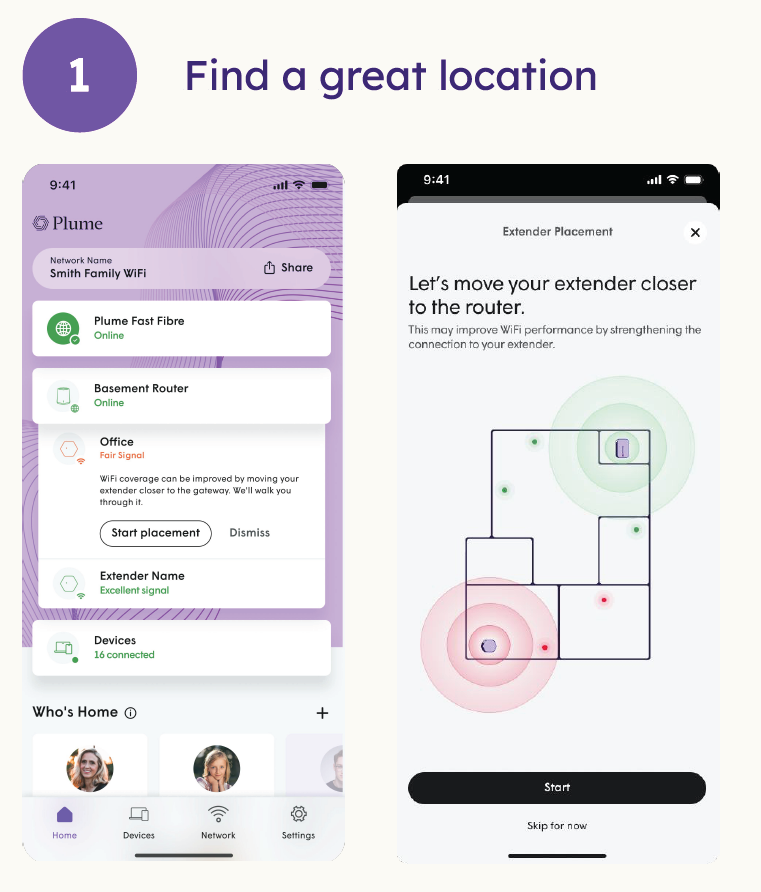
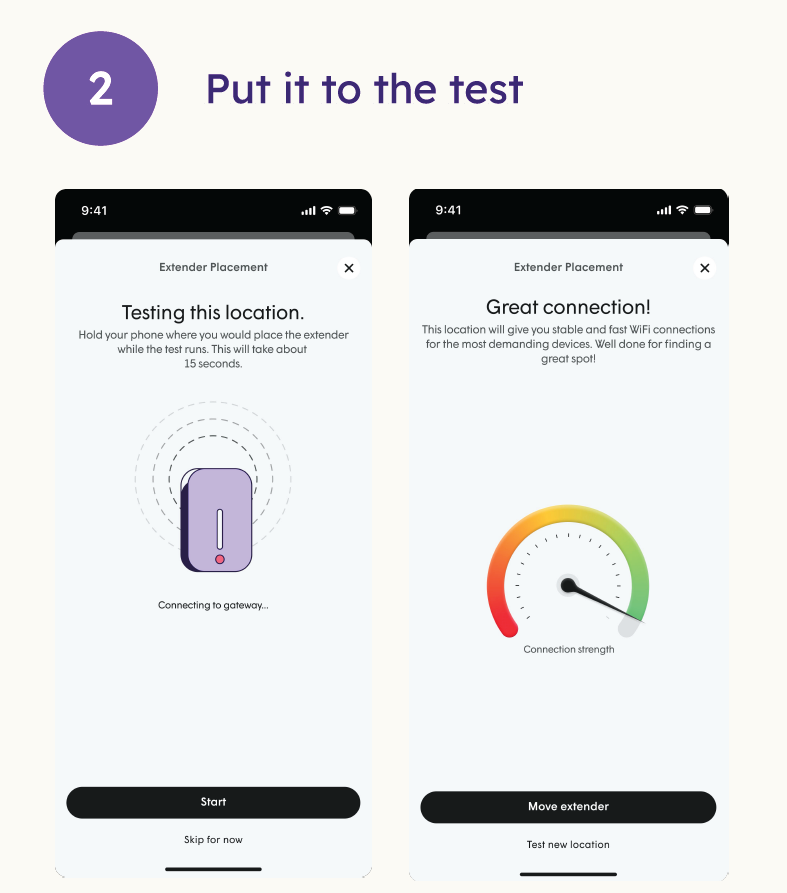
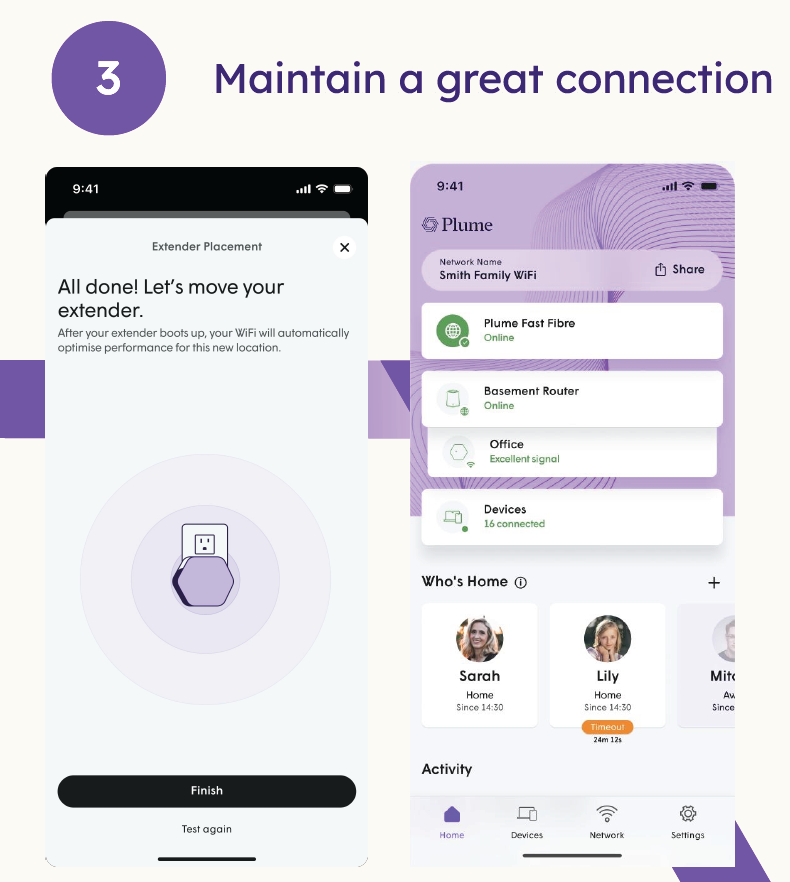
Simple guidance from the new Plume Home app to help you enjoy stronger, more reliable WiFi throughout your home!
| Before you start • Keep your extender powered on while checking placement. • Avoid placing it behind large metal objects, thick walls or inside cupboards. • Try a central, open spot near the area where you want better coverage. |
|---|
How to get Plume Home
To access all these features, start by downloading the new Plume Home app from the Google Play Store or Apple App Store. A WightFibre internet connection and WightFibre Hub are required for it to work. Once installed, you can easily manage your network and enjoy a smarter, more secure online experience.
Trademarks & Privacy
Plume, Home by Plume, Guard, Access, Adapt and SuperPod are either trademarks, or registered trademarks of Plume Design, Inc.
Need a hand?
If your WiFi is still not performing as expected, WightFibre is here to help. Our team can support you with simple checks and practical advice. Contact us via WhatsApp. Simply click on WhatsApp in the Plume Home app or look up WightFibre on your WhatsApp and start chatting or click on WhatsApp below